M4
Dedicated physical Mac
All three configurations use real physical hosts rather than shared virtual machines. Keep a consistent Xcode version, dependency cache, build scripts, and project workspace.
ZoneMini provides dedicated physical Mac minis—not virtual machines—for automated app builds, Xcode Archive, fixed CI runners, and continuously running Apple Silicon workloads.
$ git clone app-ios.git && cd app-ios
$ bundle exec fastlane archive
✓ archive exported: build/ZoneApp.ipa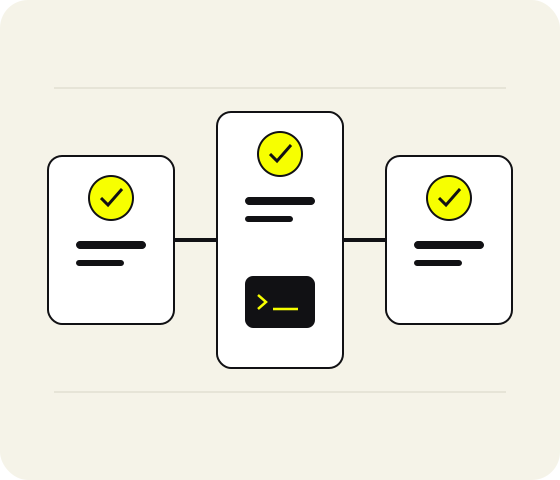
The names below describe compatible workflows and do not imply an official partnership between ZoneMini and any listed project or platform.
Choose hardware, region, and term first, then configure your repository, dependency cache, and build permissions. Host resources are not shared with other tenants; CPU, memory, and local storage depend on the selected configuration.
All three configurations use real physical hosts rather than shared virtual machines. Keep a consistent Xcode version, dependency cache, build scripts, and project workspace.
Connect GitHub Actions, GitLab CI, or Jenkins. Your team controls runner labels, repository permissions, job queues, and post-build cleanup policies.
From a code commit, restore dependencies, run unit tests, create an Xcode Archive, and export the IPA. Users manage certificates, provisioning profiles, and repository tokens following least-privilege practices.
Nodes operate continuously 365 days a year. Model inference, batch transcoding, and long-running builds can run continuously on a dedicated host.
ZoneMini delivers a remotely accessible physical macOS environment. Your team remains responsible for project code, signing materials, third-party tool licenses, pipeline permissions, and final release operations.
This example walks through fetching a repository, installing dependencies, running tests, and creating an archive. The commands illustrate the workflow only; they do not represent fixed runtimes or contain credentials for any real node.
git clone <repository>bundle install && pod installxcodebuild testfastlane ios archive$ git clone git@example.com:mobile/app-ios.git
✓ repository ready
$ bundle install && bundle exec pod install
✓ dependencies installed
$ xcodebuild test -scheme ZoneApp
✓ TEST SUCCEEDED
$ bundle exec fastlane ios archive
✓ build/ZoneApp.ipa$ xcodebuild -version
Xcode environment verified
$ xcodebuild test \
-scheme ZoneApp \
-destination 'platform=macOS'
✓ unit tests passed
✓ result bundle saved$ sw_vers
ProductName: macOS
$ xcode-select -p
/Applications/Xcode.app/Contents/Developer
$ df -h .
✓ workspace available
✓ runner ready for jobsManage CocoaPods, Ruby, and build caches separately for each repository to prevent stale cross-project dependencies from producing non-reproducible results.
Collect test results, archive logs, and build parameters. Remove tokens, passwords, and signing private keys before submitting a support ticket.
Clean DerivedData, expired archives, and download caches. Monitor local disk space continuously so temporary artifacts do not crowd out later jobs.
Every configuration is a dedicated physical Mac mini, not a virtual machine. Order from Singapore, Japan (Tokyo), South Korea (Seoul), Hong Kong, or the US East Coast; live availability is confirmed by the console.
For single-project builds, low-concurrency tests, temporary archives, and basic automation.
Rent ZoneMini M4 Core NowFor multi-project pipelines, continuous runners, simulator testing, and larger dependency caches.
Rent ZoneMini M4 Plus NowFor large-model inference, high-load parallel workloads, large projects, and extensive local files.
Rent ZoneMini M4 Pro Now| Use case | Recommended configuration | Memory and storage | Selection criteria |
|---|---|---|---|
| Light builds | ZoneMini M4 Core | 16GB / 256GB | Single project, low concurrency, short-term archives, and manageable cache size |
| Everyday development and multi-project pipelines | ZoneMini M4 Plus | 24GB / 512GB | Dependency caches, simulator testing, continuous runners, and multi-branch jobs |
| Large-model inference and high-load parallel workloads | ZoneMini M4 Pro | 64GB / 2TB | High memory, long-running jobs, large model files, and extensive local data |
Additional storage, Thunderbolt 5 pairing prices, and complete term details are listed together on the rental plans page.
View Complete Rental PlansFive available regions: Singapore, Japan (Tokyo), South Korea (Seoul), Hong Kong, and the US East Coast. Consider repository location, team access paths, release markets, and local connectivity together.
These ranges illustrate how to evaluate regions. Actual network performance depends on access routes, carriers, repository location, and local connectivity.
| Configuration × region | Singapore | Japan (Tokyo) | South Korea (Seoul) | Hong Kong | US East Coast |
|---|---|---|---|---|---|
| ZoneMini M4 Core | Available | Available | Available | Available | Available |
| ZoneMini M4 Plus | Available | Available | Available | Available | Available |
| ZoneMini M4 Pro | Available | Available | Available | Available | Available |
Each scenario is separated into inputs, tasks, and outputs. ZoneMini provides the runtime environment; it does not replace project code, signing strategies, data backups, or third-party platform rules.
Move overnight archives off your personal computer and let a dedicated node handle repetitive build steps.
Divide runner labels by repository, job type, and environment to reduce reliance on individually maintained build setups.
Run batch inference on a high-memory node while keeping developers’ local workstations available for coding and result analysis.
Put scriptable repetitive processing on a dedicated node, without treating temporary workspace storage as a long-term archive.
“I moved overnight archives from my personal computer to a dedicated node.” — Independent iOS developer
“At last, the runner and signing environment can be managed centrally by the team.” — Mobile CI lead
“Long-running jobs no longer occupy my local workstation.” — Machine learning engineer
The use-case page breaks down iOS builds, build farms, cross-platform projects, model inference, audio and video processing, and release preparation.
All prices are billed in USD. Only USDT-TRC20 and Visa / Mastercard / Amex (via Stripe) are supported; the console confirms the gateways currently available.
Choose daily, weekly, monthly, or quarterly terms. Listed prices are not converted or rounded; checkout is based on the selected configuration, region, add-ons, and term.
For more questions about provisioning, connections, build environments, networking, storage, and billing, visit the Help Center.
No. ZoneMini provides a dedicated physical Mac mini. CPU, memory, and local storage correspond to the selected configuration and are not shared through a virtualized resource pool with other tenants.
Yes. Connect GitHub Actions, GitLab CI, or Jenkins runners as required by your project. Your team must manage repository permissions, job labels, cache isolation, and post-build cleanup.
Prioritize repository location, team access paths, and release markets, then test SSH, screen sharing, and file transfer under real network conditions. Available regions are Singapore, Japan (Tokyo), South Korea (Seoul), Hong Kong, and the US East Coast.
Only USDT-TRC20 and Visa / Mastercard / Amex (via Stripe) are supported, with all billing in USD. The console confirms the gateways currently available.
Use SSH for command-line tasks and macOS screen sharing for graphical work. Before connecting for the first time, verify the node address, username, local network, and access credentials.
Starting at $20.8/day. Before ordering, prepare your use case, concurrent job count, target region, estimated term, and storage requirements. If you need to confirm the details, review the connection guide or Help Center first.